Official installation guide
ASCT Panel — Setup & usage
Follow this step-by-step guide to install, activate and use the panel on MetaTrader 5. You already received the .ex5 file in your email.
What license type do you have?
1. Overview
OVERVIEWASCT_Panel.ex5MetaTrader 5 (Expert Advisor)
5.0
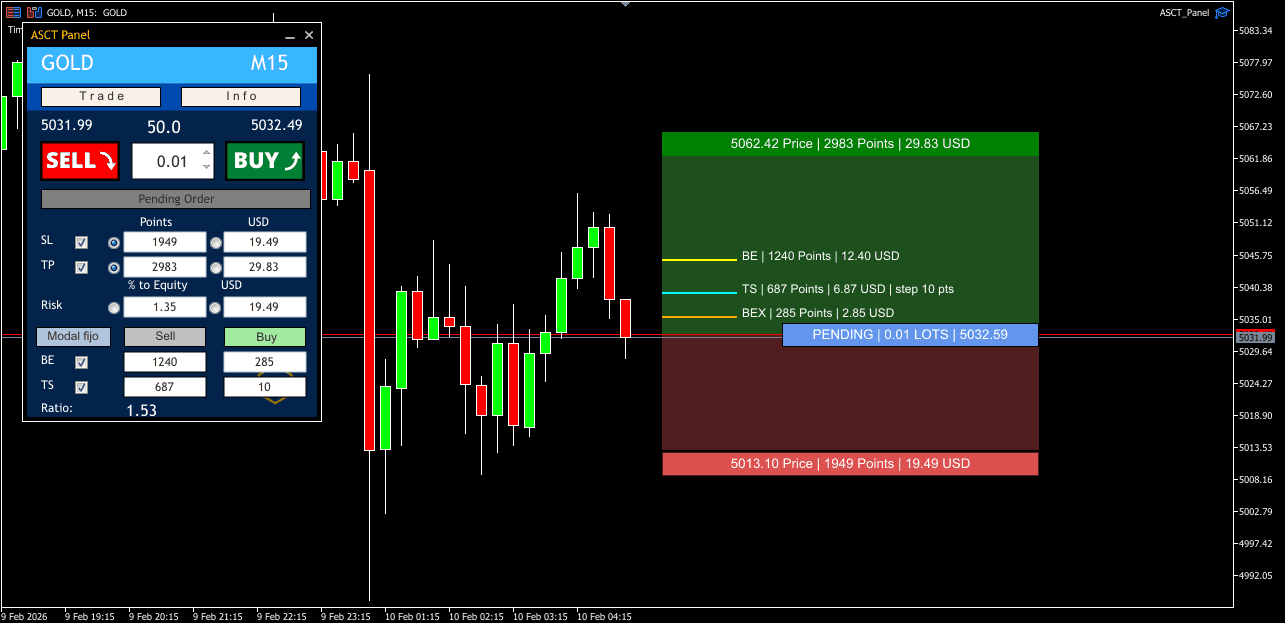
Execution panel with visual order management, automatic lot sizing by risk, drag & drop SL/TP and professional trading utilities.
2. MT5 installation
STEP BY STEP1Allow WebRequests (required)
Go to Tools → Options → Expert Advisors and add this URL under "Allow WebRequest for listed URL":
asct.app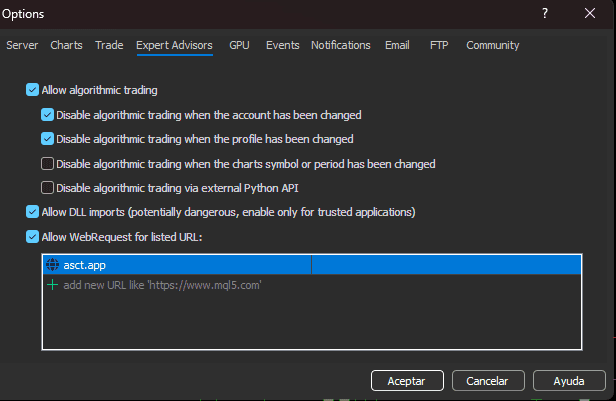
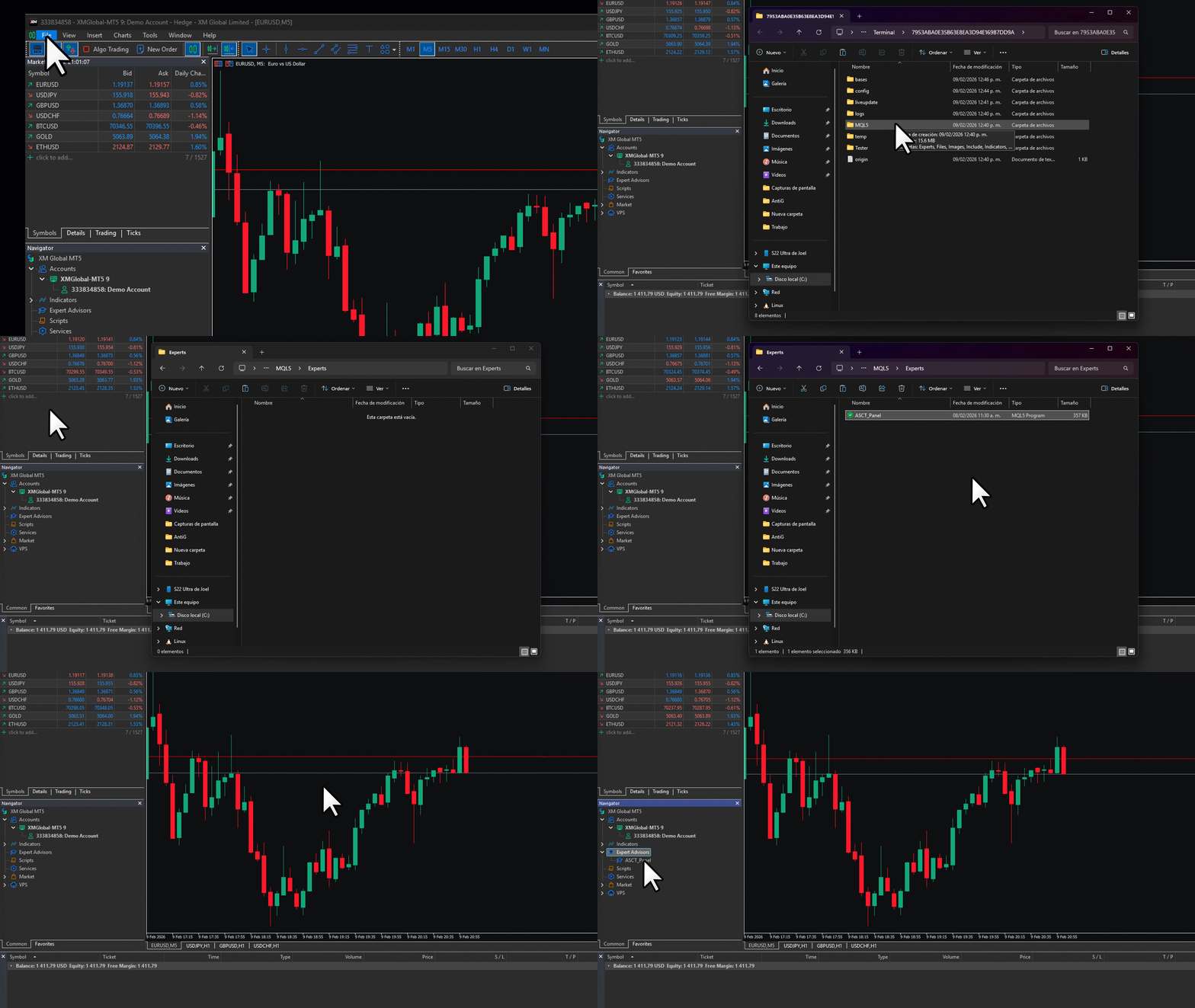
2Install the .ex5 file
- Open the .ex5 file from your email
- MT5 → File → Open Data Folder
- Go to MQL5 → Experts
- Paste ASCT_Panel.ex5 and refresh Navigator
3Attach to chart
- Drag ASCT_Panel onto your chart
- Enable "Allow Algo Trading"
- Verify the blue smile ☺ on the chart corner
3. License activation
XM — PANEL- 1
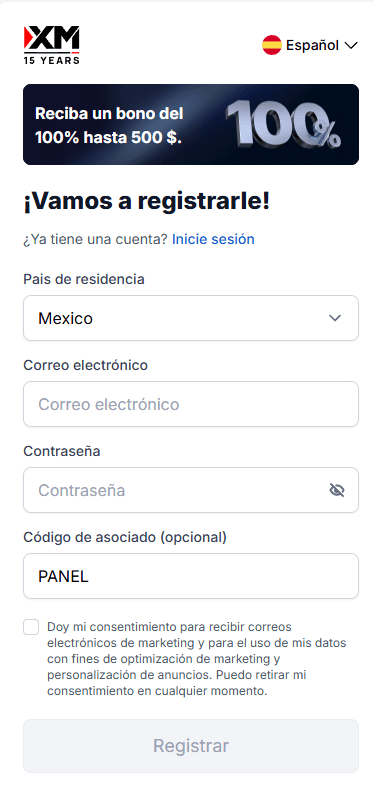
Register or link your XM account
Use partner code PANEL when registering. Without it the panel will not activate.
PANEL - 2
- 3
Automatic activation
With the EA on chart and XM account linked with PANEL, the panel detects your account and activates permanently for free.
4. Panel interface
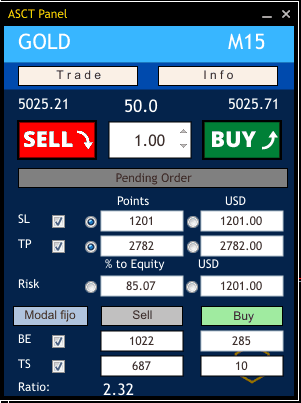
UIReal-time information
- Symbol & timeframe
- Spread, Bid/Ask
- Balance & equity
- Floating P/L
Management controls
- Volume / lot size
- Risk % or fixed USD
- TP / SL in pips or money
- Break Even & Trailing Stop
5. How to trade
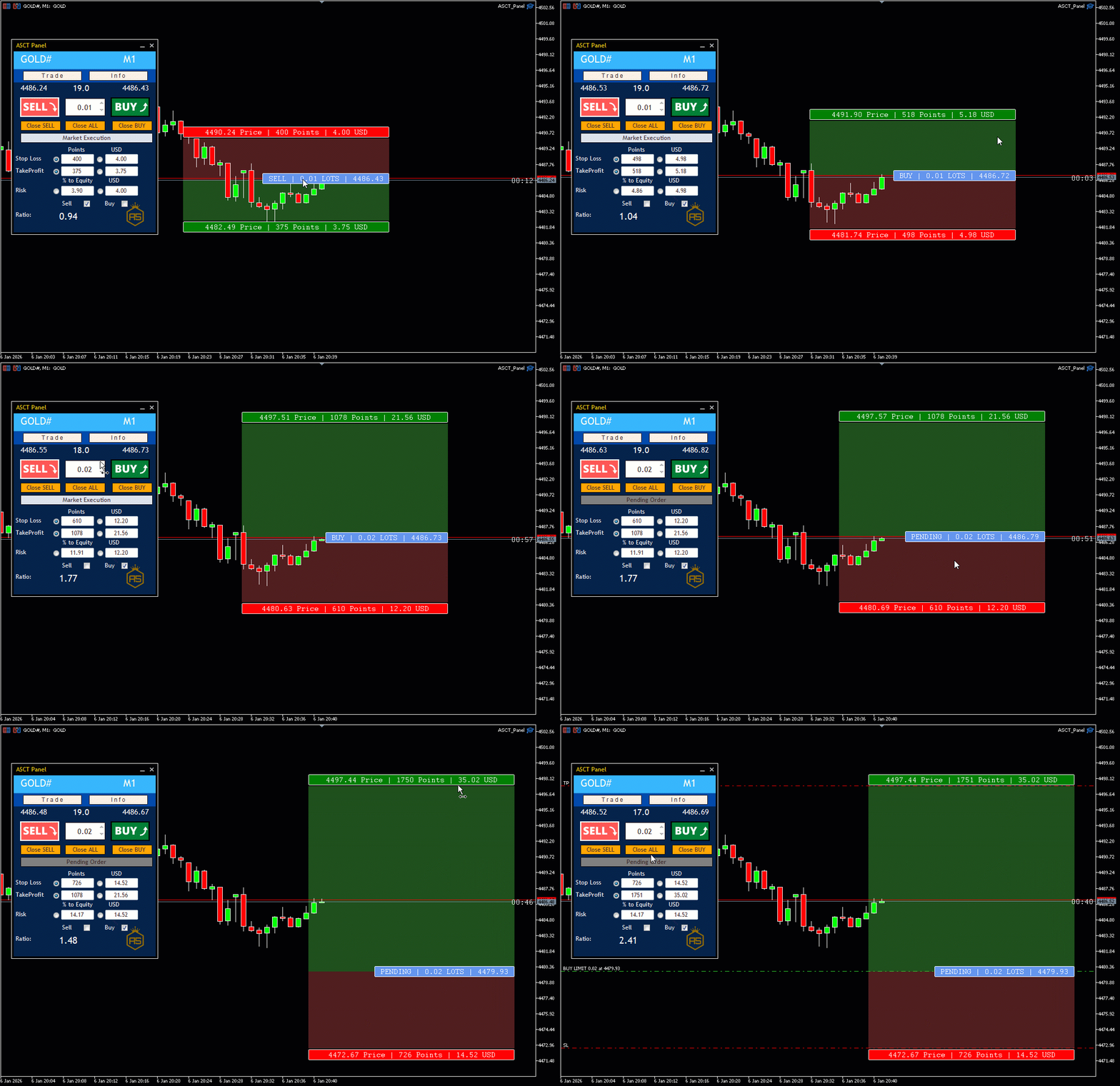
WORKFLOWSMarket execution + SL/TP
- Select Market Execution
- Activate Buy or Sell (draft mode)
- Adjust risk and drag SL/TP
- Confirm with BUY/SELL button
Risk by fixed USD
- Enable Risk Money
- Enter amount (e.g. $50)
- Panel calculates lots from SL distance
- Execute with controlled risk
Visual pending orders
- Switch to Pending Order
- Activate Buy/Sell direction
- Drag blue block to price
- Limit/Stop auto-detected
Drag & drop on open trade
- Enable Fixed Modal on open trade
- Drag SL/TP labels on chart
- On release, panel modifies order
- See green/red zones live
6. Troubleshooting
FAQPanel does not show / does not activate
Check: (1) WebRequest asct.app configured, (2) Algo trading enabled, (3) blue icon on chart, (4) file in MQL5/Experts.
Invalid XM license
Confirm you registered XM with code PANEL. If you already had XM, open an additional account with PANEL.
WebRequest / connection error
Add asct.app under Tools → Options → Expert Advisors. Restart MT5 after saving.
Lot size calculation seems wrong
Check SL is set, risk % or USD is correct and symbol spread is normal. Adjust SL on chart and panel recalculates instantly.
Need help with installation?
Message us on Telegram with an MT5 screenshot and we will guide you step by step.